How It Works
Simple steps to organize your sample libraries and export DAW maps.
01
Scan Libraries
Detect your Kontakt instruments automatically.
02
Build Articulations
Organize keyswitches and controls in one simple visual grid.
03
Export Maps
Export ready-to-use maps directly into Cubase, Logic, and Dorico.
04
Live Audition
Test keyswitches in real-time straight to your DAW.
Pace Oriented Layout
An intuitive editor for your instrument articulations.
- Visual Grid: Edit keyswitches and controls graphically.
- Kontakt Auto-Scan: Detect installed patches automatically.
- 1-Click Export: Export ready-to-use maps for your DAW.

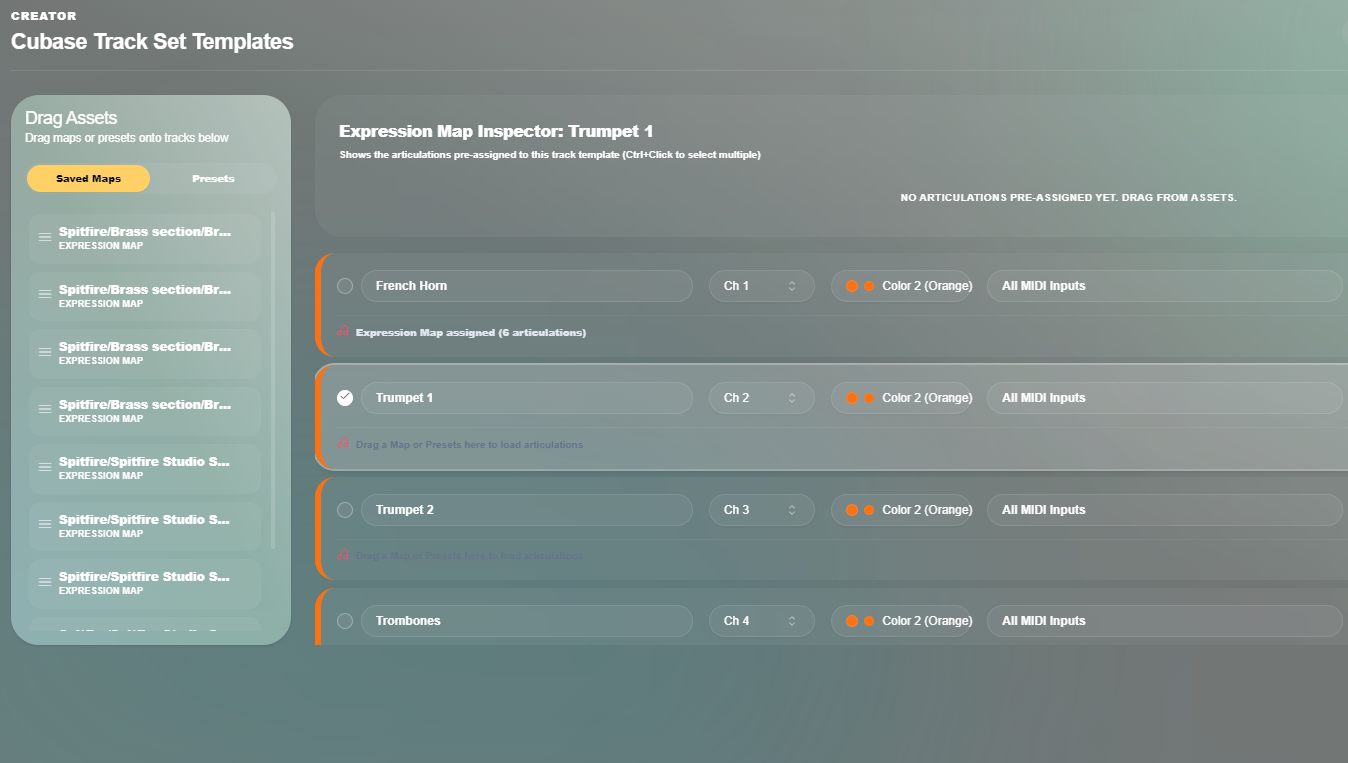
DAW Templates
Keep your DAW tracks and articulation maps synchronized.
- Cubase Integration: Built natively for Cubase, with more DAW formats coming soon.
- Track Bundles: Save routing, VST setups, and track colors.
- Instant Sync: Update maps without reconfiguring your DAW.
Core Features
Expression Map Compiler
Export ready-to-use expression maps for Cubase in one click.
PDF Manual Scanner
Import keyswitch tables directly from instrument user manuals.
Kontakt Auto-Scan
Scan your drives to automatically find installed Kontakt libraries.
Live MIDI Audition
Send MIDI keyswitches directly from Theriar to test your DAW tracks in real-time.
Frequently Asked Questions
Which DAWs does Theriar support?
+
Theriar supports Cubase for now. In future updates it will support most DAWs, and we will keep adding compatibility.
How does real-time testing work?
+
Theriar connects via virtual MIDI to trigger keyswitches live on your active DAW track.
Which sample libraries are supported?
+
It works with all major libraries including Spitfire Audio, Orchestral Tools, 8Dio, and Cinesamples.
How does the PDF scanner work?
+
Upload an instrument manual PDF, and Theriar extracts the keyswitch table automatically.
Is Theriar free?
+
Theriar includes a free core version, with optional licenses for batch exports.
Get in Touch
Have a question? Send us a message.